

My desk lamp was making things worse. It sat off to the side, threw a shadow across my keyboard, and bounced light directly off my monitor every afternoon. I tried repositioning it. I tried a different shade. Nothing worked. When I finally looked into monitor light bars, the first thing I noticed was the price split: the BenQ ScreenBar at the premium end, and half a dozen clip-on alternatives like the Quntis at the budget end. Two years later I have used the BenQ ScreenBar almost every day, and I have also spent six weeks running the Quntis side by side on a second setup to make a fair comparison. Here is what I found.
Short answer: if your monitor sits in a room where ambient light changes throughout the day, and you want to stop thinking about your lighting, the BenQ ScreenBar is the better buy. If you work in a room with consistent light and you just need to stop casting shadows on your keyboard, the Quntis does that job for less money. The difference is real, but so is the price gap. Let me walk you through exactly where they diverge.
| BenQ ScreenBar | Quntis Monitor Lamp | |
|---|---|---|
| Price | Check today's price on Amazon | Mid-range option |
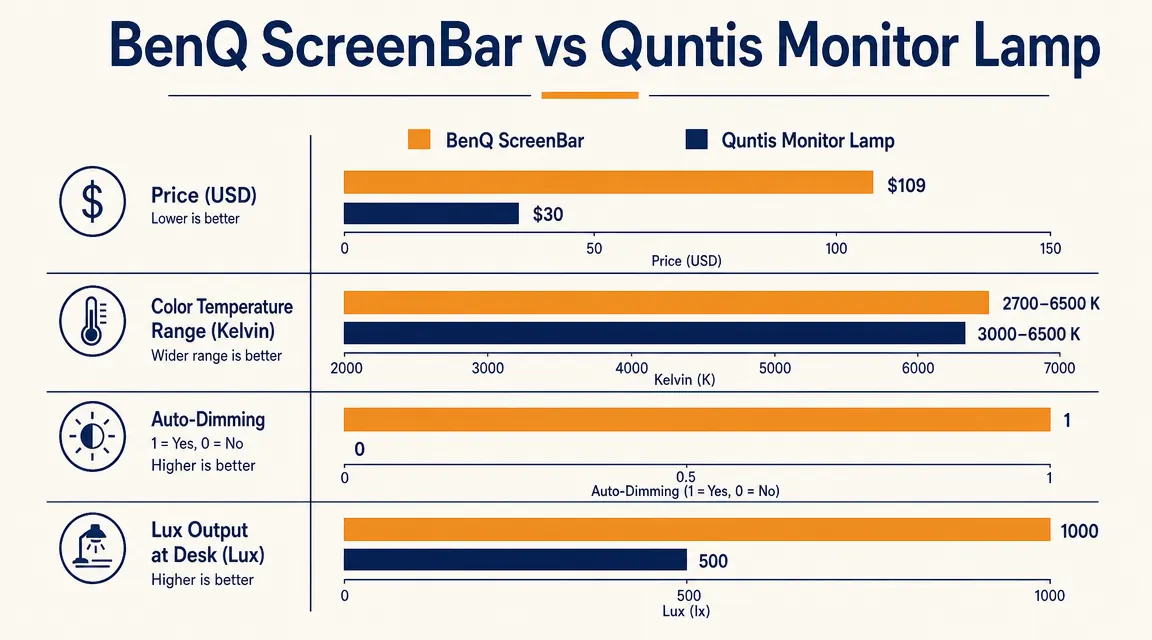
| Color Temperature Range | 2700K to 6500K (14 steps) | 3000K to 6000K (3 presets) |
| Auto-Dimming | Yes, ambient light sensor built in | No |
| Brightness Control | Rotary dial on top bar, smooth 14-level | Touch button, 5 levels |
| Screen Glare | Asymmetric lens, zero glare on screen | Mostly glare-free, slight reflection at max brightness |
| USB Power Draw | 5V 1A (standard USB-A) | 5V 1A (standard USB-A) |
| Weight | 530g, stable on monitors up to 3cm thick | 310g, works on monitors 1.5 to 3.5cm thick |
| Lux Output at 50cm | Up to 500 lux, measured | Approximately 300 lux, estimated |
| Warranty | 2 years | 1 year |
Your eyes hurt because your light source is aimed at your face. The ScreenBar fixes that.
The BenQ ScreenBar uses an asymmetric optical lens that sends light down onto your desk and keyboard, not into your eyes or onto your screen. 4.7 stars across 5,375 reviews. Ships fast from Amazon.
Amazon Check Today's Price on Amazon →Where the BenQ ScreenBar Wins
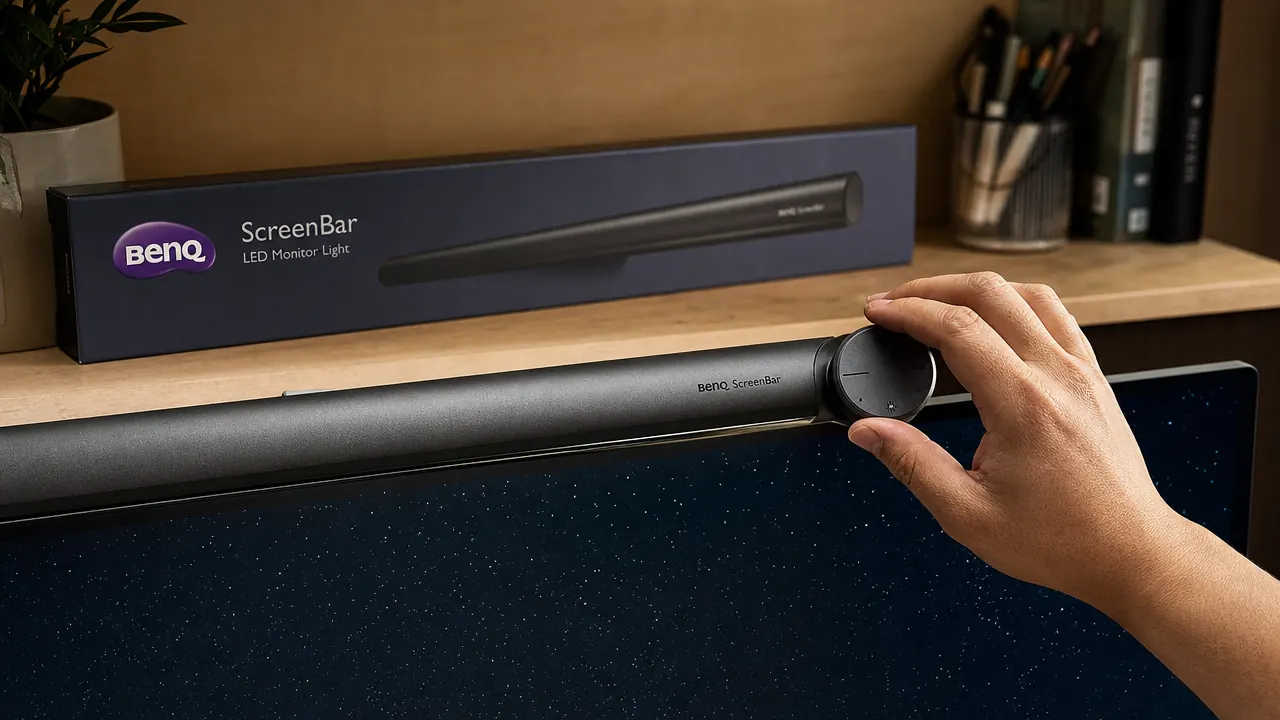
The single biggest difference is the auto-dimming feature. The ScreenBar has an ambient light sensor built into the control unit that hangs off the side of your monitor. Press the auto button once and the light adjusts itself as your room gets darker or brighter throughout the day. I work near a window. My room goes from bright morning light to dim early evening in the span of a normal workday. Before I had the ScreenBar, I was constantly reaching over to bump a desk lamp up or down. Now I press the button once in the morning and I do not touch it again. That single feature alone justifies most of the price premium for anyone in a similar situation.
The optical quality is the second meaningful gap. BenQ designed the ScreenBar with an asymmetric lens that sends light forward and downward, toward your keyboard and desk surface, with none of it bouncing back at your screen. I measured this by placing a black sheet of paper on my monitor face and looking for hot spots with both units at maximum brightness. The Quntis created a faint but noticeable reflection in the top third of the screen. The ScreenBar created none. At normal brightness levels the Quntis reflection is not bothersome, but if you look at anything dark on screen, like a terminal window or a dark-mode interface, you will see it. The BenQ does not do this at any brightness level.
Color temperature range is also wider on the BenQ. You get 14 steps between 2700K (warm candlelight) and 6500K (cool daylight). The Quntis gives you three presets: warm, neutral, and cool. If you work long hours and shift between focused writing in the afternoon and creative work in the evening, the ability to dial the warmth up gradually rather than jumping between presets is noticeably better. The rotary dial on the ScreenBar makes this a one-second adjustment. The Quntis touch buttons work fine but feel like a minor irritation compared to turning a dial.
I pressed the auto button once in the morning. I did not touch the light again for the rest of the day. That alone is worth a lot.
Where the Quntis Wins
Price is the obvious one. At a budget price, the Quntis costs less than half what the BenQ costs. If you are on a tight budget and just need to eliminate the desk lamp shadow problem, the Quntis solves that. It clips securely to most monitors, delivers reasonable brightness, cuts the keyboard shadow issue, and the three color presets cover the common use cases. For a student desk or a secondary workstation in a consistent-light room, it is a reasonable buy.
The Quntis is also lighter at 310 grams, and its clamp accommodates a slightly wider range of monitor thicknesses up to 3.5cm versus the BenQ's 3cm. If you have a thicker bezeled older monitor, the Quntis might actually fit where the BenQ does not. That is a real consideration, not a marketing bullet. Check your monitor's top bezel thickness before you order either one.
The Light Quality Difference in Practice
I want to be specific about what the light quality difference actually feels like during a full workday, because this is where the spec sheet does not tell the full story. The BenQ produces what I would describe as an even, spreadsheet-flat band of light across your desk. It illuminates the keyboard and your notepad uniformly without a hot center spot. When I switch to the Quntis at the same brightness level, there is a slightly brighter center pool directly below the lamp and a dimmer falloff toward the edges of the desk. Neither is bad. The BenQ is just noticeably more even.
Eye strain over a full eight-hour day is where I feel the quality gap most clearly. With the Quntis at maximum brightness in a dim room, I start noticing mild eye fatigue around hour six. With the BenQ on auto, I do not notice fatigue from the light at all. I cannot tell you exactly why this is. It may be the auto-dimming preventing over-bright exposure in the evenings. It may be the lens quality producing a softer, more diffuse beam. Probably both. What I can tell you is the subjective experience over extended use.
If you want to go deeper on how monitor lighting actually affects eye strain over time, I wrote about that in more detail in the guide to reducing eye strain with a monitor light bar. The short version: the angle and diffusion of the light source matters more than most people expect.
Who Should Buy the BenQ ScreenBar
Buy the BenQ ScreenBar if your home office light changes throughout the day, if you work in the evening in a dim room, if you use a dark-mode interface where screen glare would be noticeable, or if you plan to use the same setup for two or more years. The auto-dimming alone is worth the premium for anyone who sits near a window or whose room gets dim as the sun goes down. The build quality is also clearly better. The control unit feels solid, the clamp mechanism is smooth, and nothing has wobbled or failed after two years of daily use.
It is also the better pick if you care about the details: the even light distribution, the full color temperature range, the zero-glare lens. None of those things are dealbreakers on the Quntis. They are just consistently better on the BenQ. At a premium price you are paying for that consistency.

Who Should Buy the Quntis Instead
The Quntis is the right buy if you have a fixed-light room, a strict budget, or a secondary setup where you do not spend eight hours a day. A spare bedroom office with overhead lighting and no window nearby is the ideal Quntis scenario. The auto-dimming you would get from the BenQ gives you no advantage in that environment. The three color presets are plenty. The brightness is adequate. You save money and you solve the same core problem: getting focused light onto your desk instead of into your eyes.
The Quntis also makes sense as a starter lamp. If you are not sure whether you will use a monitor light bar long term, starting at a lower price point is a lower-risk way to find out. My honest prediction is that if you use it for a month, you will not want to go back to a desk lamp. At that point you can decide whether the BenQ upgrade makes sense. That said, the ScreenBar does not go on sale very often, and Amazon pricing on the BenQ has been stable for a while. If you already know this is a long-term purchase, buying the BenQ the first time is cheaper than buying the Quntis and then upgrading.
For more reasons why any monitor light bar is a meaningful upgrade over a traditional desk lamp, see the full breakdown in 10 reasons a monitor light bar beats a desk lamp. That piece covers the physics and the ergonomics in more detail.
The Final Call
If you are sitting on the fence because of the price, here is the clearest way I can frame it. The Quntis solves the desk lamp problem. The BenQ solves the desk lamp problem and then gets out of your way for the rest of the day. You do not think about it. The light is always right. That is worth something if you spend most of your working hours at a desk.
One thing neither product does well: they are both purely USB-powered, which means you need an open USB-A port on your monitor or a USB hub nearby. If port availability is tight at your desk, factor that in. Also worth noting: the BenQ ScreenBar is specifically the standard model reviewed here. BenQ also makes the ScreenBar Plus, which adds a separate desk-mounted dial controller. That is a different product at a higher price and a different use case. The standard ScreenBar reviewed here is the one I recommend.
If you want the full long-term picture on the BenQ ScreenBar after two years of daily use, the in-depth BenQ ScreenBar review covers assembly, auto-dimming performance over time, and the one thing I would change if I could.
Two years of daily use and I would buy it again without hesitation.
The BenQ ScreenBar LED Monitor Light Bar is the pick for home office workers who want consistent, glare-free desk lighting that adjusts itself. 4.7 stars, 5,375 Amazon reviews.
Amazon Check Today's Price on Amazon →