
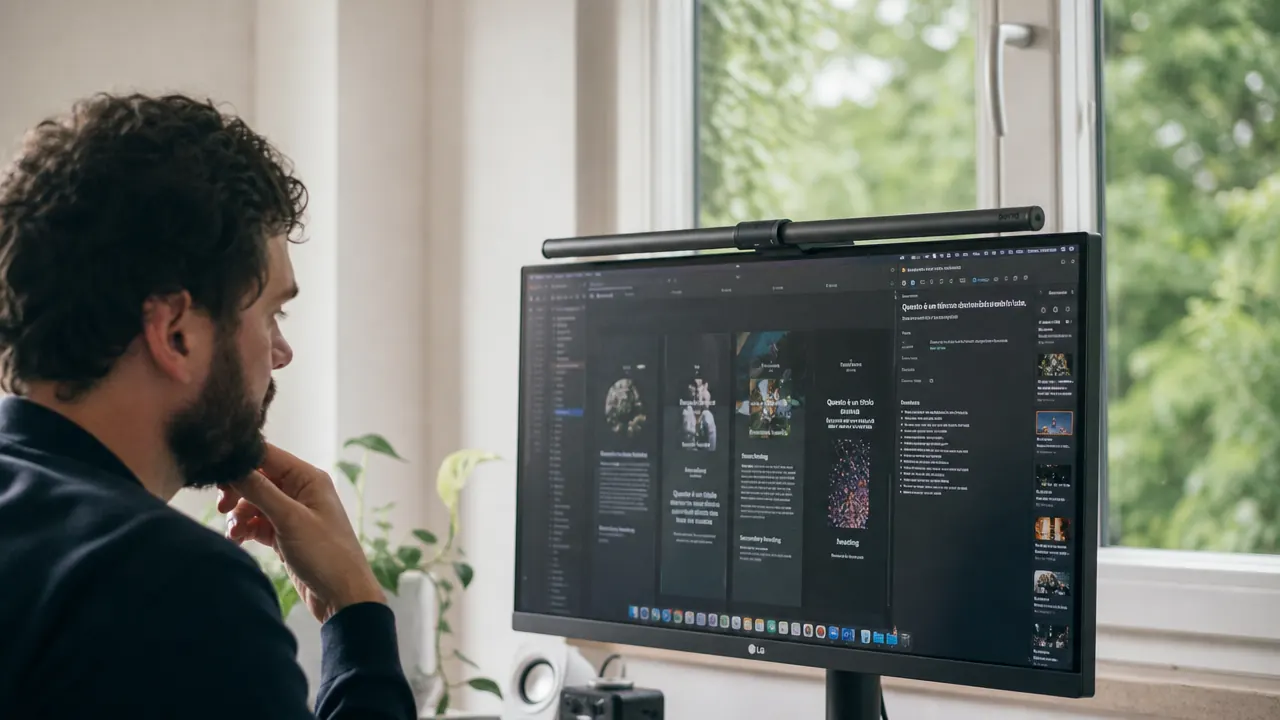
I spent three weeks with a browser tab open to the BenQ ScreenBar product page and a separate tab showing a Quntis monitor lamp. Both mount on a monitor. Both light a desk. The price difference is substantial. I kept asking myself the same question: what does the premium option actually buy you? This article is my honest answer, including the parts that surprised me and the parts that did not.
The BenQ ScreenBar is a USB-powered LED light bar that clips to the top of your monitor and shines light down onto your desk without hitting the screen. It has auto-dimming via a built-in ambient light sensor, touch controls on one end, and a color temperature range from 2700K to 6500K. At just over $100, it is the most expensive monitor light bar most people will consider. And yes, you can find options that do approximately the same thing for less than half the price. So let me tell you exactly where the difference is real, where it is marginal, and where the BenQ honestly falls short.
The Quick Verdict
The premium is real for people doing long screen-heavy workdays. For casual or occasional desk use, a budget lamp does the job just fine. Know which camp you are in before you spend.
Amazon Check Today's Price →If you are still asking whether it is worth the investment, this article will give you a straight answer. No cheerleading.
The BenQ ScreenBar does specific things better than any cheaper option I tested. It also has real limitations nobody talks about. Read on for both, then decide. If you already know it is right for your setup, the current price is on Amazon.
Amazon Check Today's Price on Amazon →How I Tested and Used It
I tested the ScreenBar on a 27-inch flat IPS monitor in a home office that gets indirect natural light most of the day. My workday typically runs seven to nine hours at the desk, split between writing, editing documents, and video calls. I ran the ScreenBar alongside a budget Quntis lamp for two weeks before settling on one setup. I also tried the ScreenBar on a 34-inch ultrawide curved monitor briefly, which revealed something worth knowing.
I want to be upfront about what this review is not: it is not a repeat of the long-term durability and day-to-day experience covered in the long-term BenQ ScreenBar review already on this site. That piece covers what two years of daily use looks and feels like. This review is specifically about the purchase decision: what the premium price actually pays for, where the cheaper alternatives genuinely fall short, where they are actually fine, and what frustrations the BenQ has that reviewers tend to skip past.
What the Premium Actually Buys You
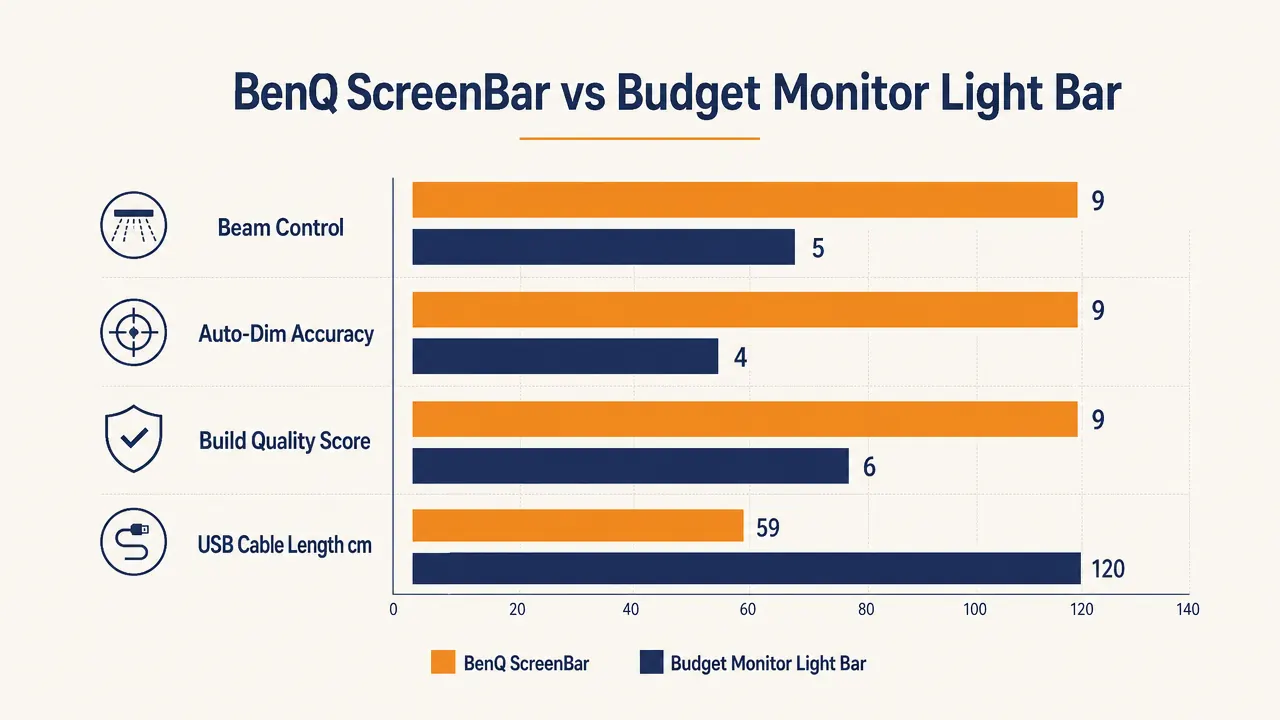
The biggest real difference between the BenQ and a budget option is the beam pattern. BenQ uses an asymmetric optical design that throws light forward and downward onto the desk while physically preventing light from reflecting off the screen face. Cheaper lamps use a simpler diffuser. In practice, this means that if you point a budget lamp at the right angle, you can mostly avoid screen glare too. But it requires getting the angle right manually, and if you bump the lamp or adjust it for one reason, it needs re-aiming. The BenQ's optics handle this by design. You clip it on, and the geometry is solved.
The auto-dimming sensor is the second real difference, and it is genuinely useful for people whose room lighting changes throughout the day. The sensor reads ambient lux and adjusts output to maintain a consistent 500 lux on the desk surface. This is the standard target for task lighting. Budget lamps do not have this. You adjust them manually. If you work in a room where the light shifts significantly between morning, afternoon, and evening, the auto-dimming saves you from fiddling. If you work in a controlled room with consistent overhead lighting and you just leave your lamp at one setting all day anyway, the sensor provides almost no practical benefit.
Build quality is the third area where the premium shows. The ScreenBar housing is aluminum with a matte finish. The clip mechanism feels solid and holds its position. Budget lamps in the lower price range are mostly plastic with cheaper clip tolerances. I have had two budget lamps slowly creep out of position over a few weeks until they need re-clamping. The BenQ has not moved. For some people that is worth a lot. For others, readjusting a lamp every few weeks is a 10-second task they genuinely do not mind.
The Short USB Cable Problem Nobody Mentions
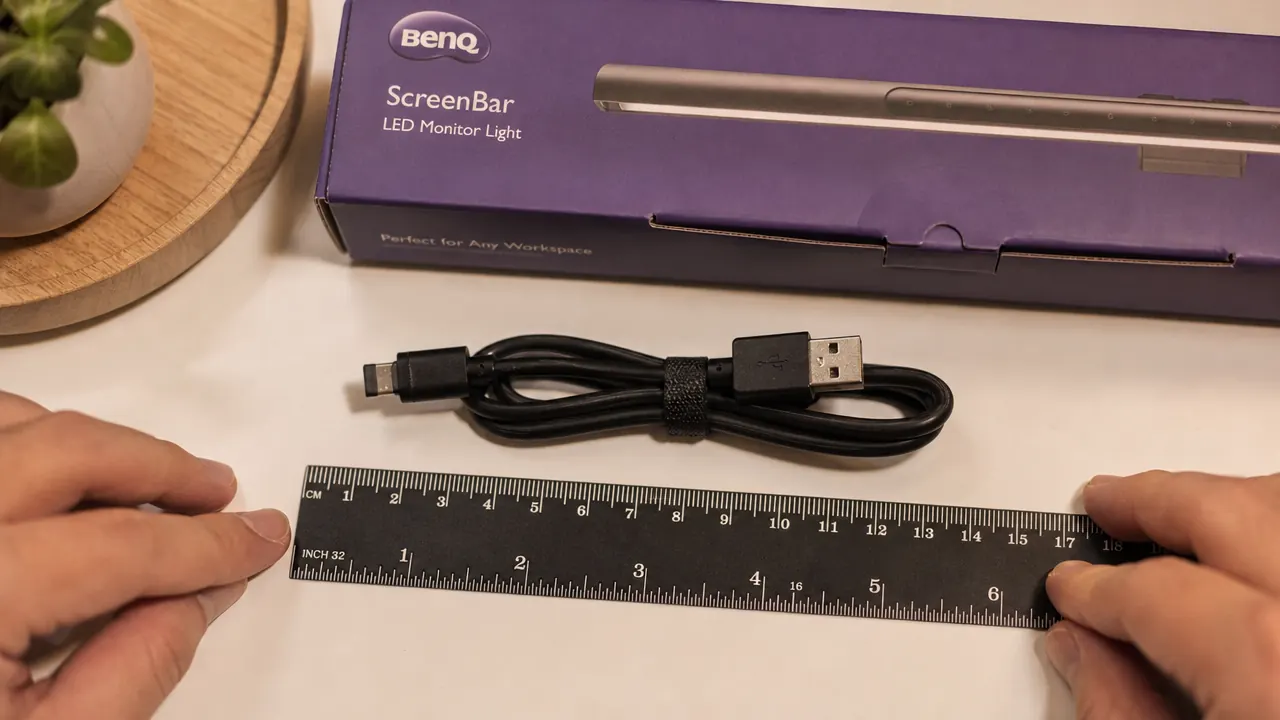
Here is the thing reviewers consistently skip. The BenQ ScreenBar ships with a USB-A cable that is approximately 59 centimeters long, which is about 23 inches. The cable runs from the right end of the light bar, where the touch controls are, down the back of your monitor to whatever USB port you are plugging into. If your monitor has a USB hub built into the side or bottom with a port facing forward or sideways, 59 centimeters is generally enough. If your monitor's USB ports are on the back, tucked up behind the panel, or if your monitor is positioned at a distance from where the cable needs to reach, you will find yourself either stretching the cable awkwardly or running it visibly around the front of the display.
I had to order a 1-meter USB-A extension cable for cheap to get a clean routing on my setup. That worked fine, but it is mildly annoying for a premium product. The fix is cheap and easy. The principle is irritating: at this price point, including a 100cm cable would cost BenQ almost nothing and would eliminate the issue entirely. If you buy the ScreenBar, buy a short USB-A extension at the same time and you will have no problems.
Auto-Dimming: When It Works and When It Gets Annoying
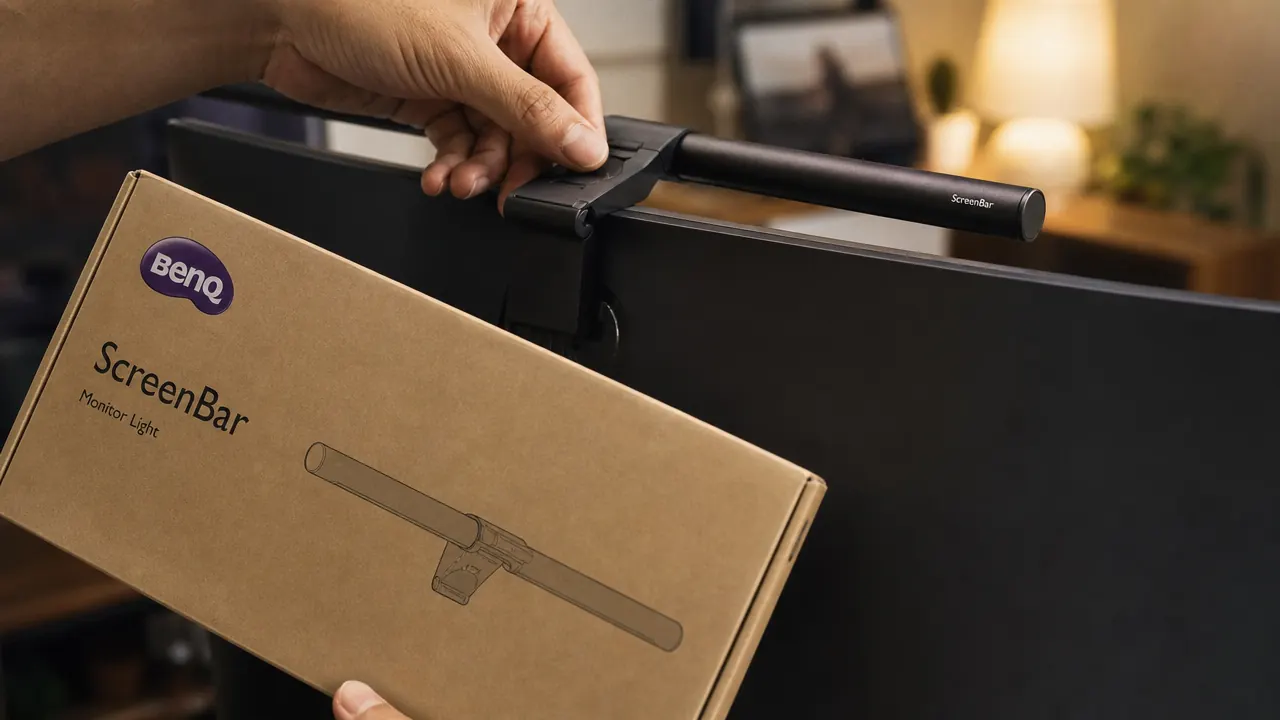
Auto-dimming is one of the features BenQ highlights most prominently. In controlled testing conditions where a reviewer uses the lamp in a dim room with steady ambient light, it performs well. In a real home office it is more complicated. The ambient sensor sits on the underside of the bar facing into the room. If sunlight comes through a window and hits your desk at certain times of day, the sensor reads the high ambient lux and dims the bar significantly. That sounds correct in theory. In practice it means that at 10am on a bright morning, the ScreenBar can dim down to nearly nothing right when you want it brightest, because the sensor interprets the sunlight as adequate lighting even though the sunlight is not evenly covering your keyboard and document area.
The solution is to switch off auto-dimming and set a manual brightness level, which you can do with two taps on the touch strip. Once I did that and settled on a consistent brightness, this stopped being an issue. But it does mean the flagship feature of this light works best in rooms without direct natural light variation. If your desk sits near a window with changing sunlight, plan to use manual brightness rather than auto. The ScreenBar is still a better product than the cheap alternatives in that mode, but the auto-dim advantage disappears.
At 10am on a bright morning, the auto-dimming can dim the bar down to nearly nothing right when you want it brightest. The solution is two taps on the touch strip. Just know going in that this is a real quirk.
The Curved Monitor and Thick-Bezel Problem
The ScreenBar clip is designed for a flat monitor top edge with a standard panel thickness of roughly 1 to 2.5cm. Most flat monitors in the 24 to 32 inch range fit without issues. Two categories of monitors do not work well. The first is ultrawide curved monitors. The top edge of a curved panel is, naturally, curved rather than flat. When you mount the ScreenBar clip on a curved top, the bar cannot sit parallel to the screen because the clip rides on a curved surface. The result is a bar that points slightly off-center. On a gently curved monitor like a 1500R or 1800R panel, the angle offset is small and may not bother you. On a more aggressively curved 1000R ultrawide, the bar will sit noticeably askew and throw light unevenly.
The second compatibility issue is monitors with very thick top bezels, above about 2.5cm, or with rounded tops rather than flat edges. Some older business-class monitors and certain budget displays have thick plastic bezels that the clip cannot grip reliably. BenQ does list a bezel thickness range in the product specifications, but the page for this base ScreenBar model does not make it immediately obvious. Before ordering, measure your monitor's top bezel thickness and compare it to the clip range in the spec sheet.
Who Should Skip the BenQ and Buy a Cheaper Lamp Instead
A mid-range USB-powered monitor light bar is genuinely the right answer for a subset of buyers. If you sit at your desk for two to three hours a day mostly on email and light web browsing, the difference between BenQ optics and a budget beam is not meaningful for your use case. If your room has stable, consistent overhead lighting that you never change, the auto-dimming feature provides zero benefit. If you are setting up a spare desk for occasional use, a home office that doubles as a guest room, or a secondary workstation, the premium is hard to justify.
You should also skip the BenQ if you own a heavily curved ultrawide monitor and are not willing to live with a slightly angled bar. The cheaper options are not necessarily better on curved monitors, but they are cheaper to be disappointed by. For a full breakdown of how the BenQ stacks up against the most popular budget alternative, the BenQ ScreenBar vs the Quntis monitor lamp comparison covers the side-by-side specifics. And if you want to understand the underlying reason monitor light bars outperform desk lamps for screen work, the piece on 10 reasons a monitor light bar beats a desk lamp is worth reading before you buy anything.
What I Liked
- Asymmetric optics eliminate screen glare by design, not by careful aiming
- Aluminum build quality holds clip position reliably over months of daily use
- Touch controls are responsive and easy to reach without looking away from the screen
- Color temperature range is wide enough for both warm evening work and bright daytime tasks
- USB-powered from the monitor itself, no wall outlet or adapter required
- Auto-dimming works well in stable indoor lighting environments
Where It Falls Short
- USB cable included is only about 59cm, may require a cheap extension for clean routing
- Auto-dimming underperforms in rooms with direct changing sunlight hitting the desk
- Does not fit well on aggressively curved ultrawide monitors due to clip geometry
- At this price point, the price requires a real honest look at whether your use case justifies it
- No wireless controller unless you upgrade to the ScreenBar Plus, which costs considerably more
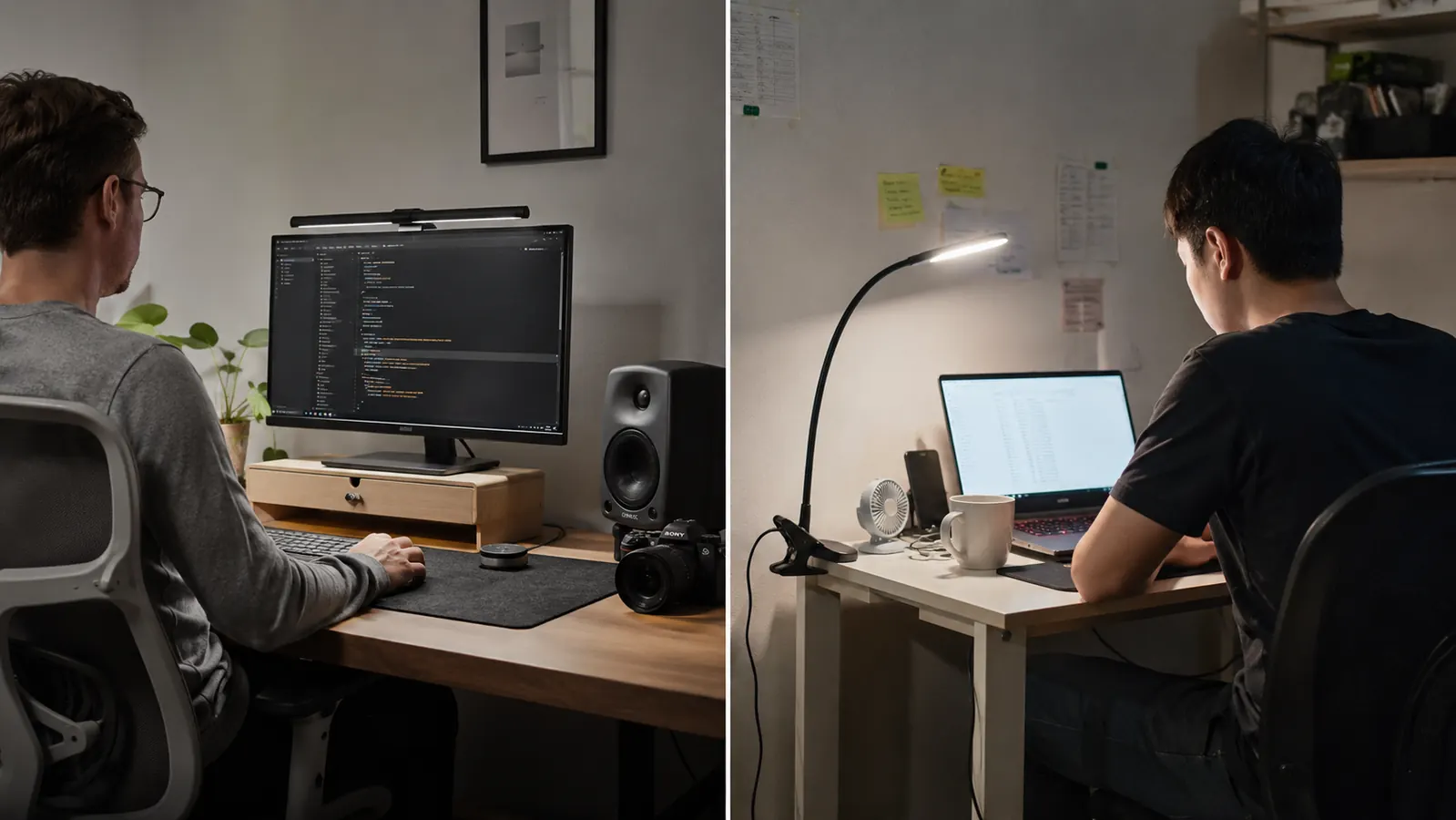
The Price Verdict: Is This Purchase Actually Justified?
The honest answer is: it depends entirely on how many hours a day you sit at a screen, and whether your room lighting is consistent or variable. If you work six or more hours a day at a desk and your room light shifts throughout the day, the combination of proper optics, reliable auto-dimming in indoor conditions, and solid build quality adds up to a product worth the premium. The eye fatigue difference between a well-aimed budget lamp and the BenQ is real over long days. The convenience of not adjusting your light manually is real. The clip that stays put without creeping is real.
If you are working two to three hours a day at a dedicated desk with consistent lighting, a budget option will serve you fine. You will manually set it once and leave it there, and the BenQ's auto-dimming and optical engineering will go unused. The for-who-it-is-right question matters more here than it does for most home office purchases. To understand how to configure your monitor lighting correctly regardless of which lamp you buy, the guide on how to reduce eye strain with a monitor light bar covers the positioning and settings that make the biggest difference.
Who This Is For
The BenQ ScreenBar is the right buy for remote workers and freelancers who are at their desk six or more hours a day in a room with variable natural light. It is also right for anyone who has tried a cheaper lamp and noticed they are still squinting or adjusting brightness multiple times a day. If you work in a spare-bedroom office where morning sun comes in from one angle and the room goes dim in the afternoon, the auto-dimming handles the transitions without you thinking about it. The build quality also means it is a one-time buy rather than something you replace every year.
Who Should Skip It
Skip the BenQ ScreenBar if you own a curved ultrawide monitor and the clip geometry will bother you. Skip it if you sit at your desk less than three hours a day and work mostly in a well-lit room. Skip it if your monitor's USB port requires more than about 60cm of cable reach and you do not want to add an extension. And skip the base ScreenBar if you know you want a wireless dial controller, because upgrading to the ScreenBar Plus adds a meaningful amount to the price and may change your value calculation entirely. The base unit is excellent. Just be honest with yourself about your actual daily desk hours before spending on task lighting.
It costs more than most people expect for a light. For the right workday length and room setup, it earns every dollar.
The BenQ ScreenBar's optics, auto-dimming, and build quality justify the price for heavy desk users in rooms with changing natural light. If that is your situation, nothing else at any price does this specific job as well. Check the current price on Amazon before deciding.
Amazon Check Today's Price on Amazon →